Desktop database client

strata.

Every database you use, in one quiet window.

Strata is a native database client for Linux, macOS and Windows. Connect to PostgreSQL, MySQL, SQL Server, Oracle, MongoDB, Redis, ClickHouse, Prometheus, Kafka and over a hundred more, then browse, query, edit and export from one place. Point it at a folder of CSV, JSON, Excel or Parquet files and query those with SQL too. One program, nothing else to install.

Version
0.0.1
Runs on
Linux, macOS, Windows
Data sources
119
Recently added
Data Laboratory
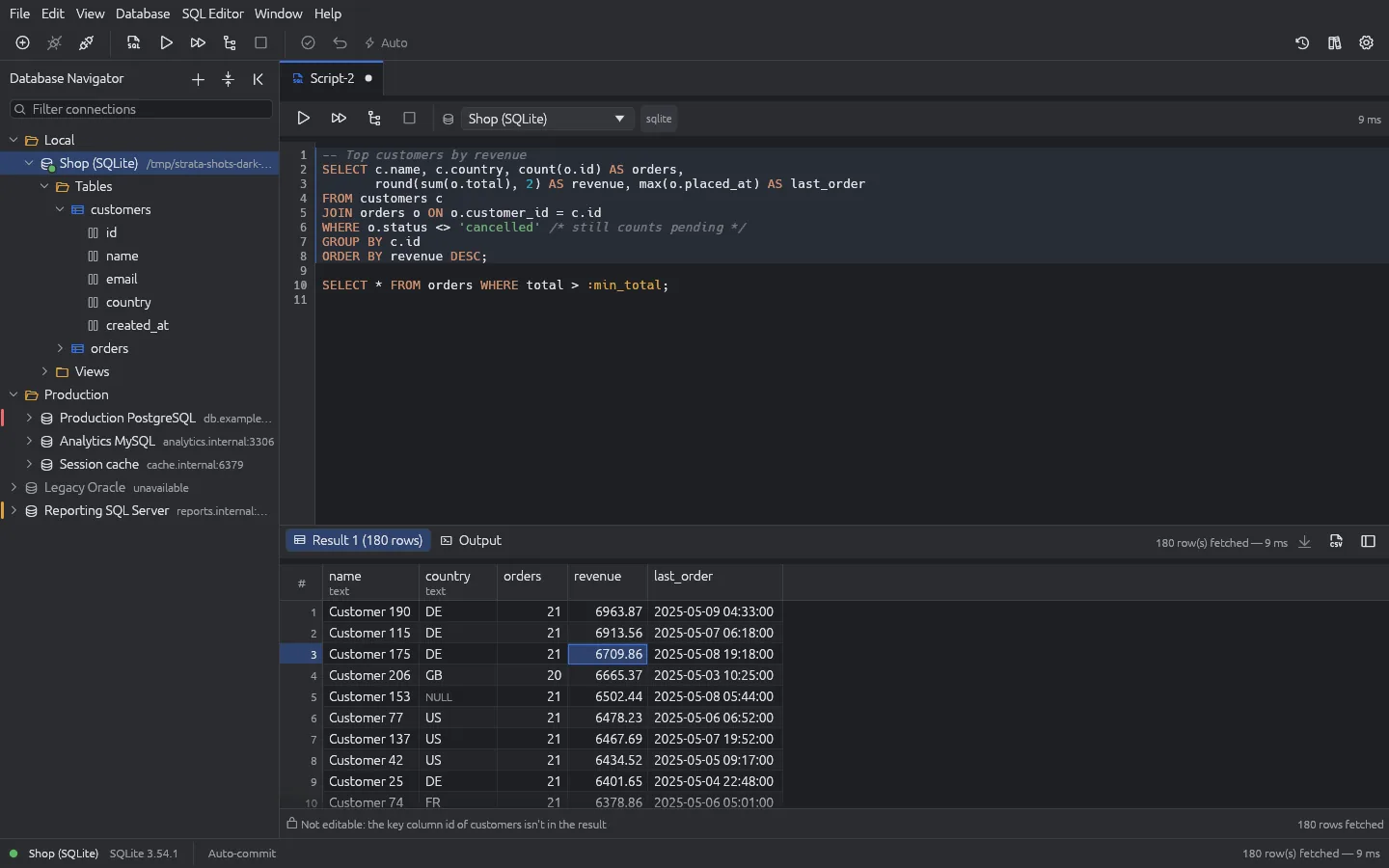
Strata main window: the Database Navigator with local and production connections, an SQL editor with the statement about to run highlighted, and a results grid of top customers by revenue
The main window: navigator, SQL editor and results. Screenshots use made-up data.

What it does

An SQL editor that shows its hand

The statement Ctrl+Enter will run is shaded before you run it. Completion from your real tables and columns, dialect-aware highlighting, :name parameters bound safely, explain plans as a tree, and a result tab per statement.

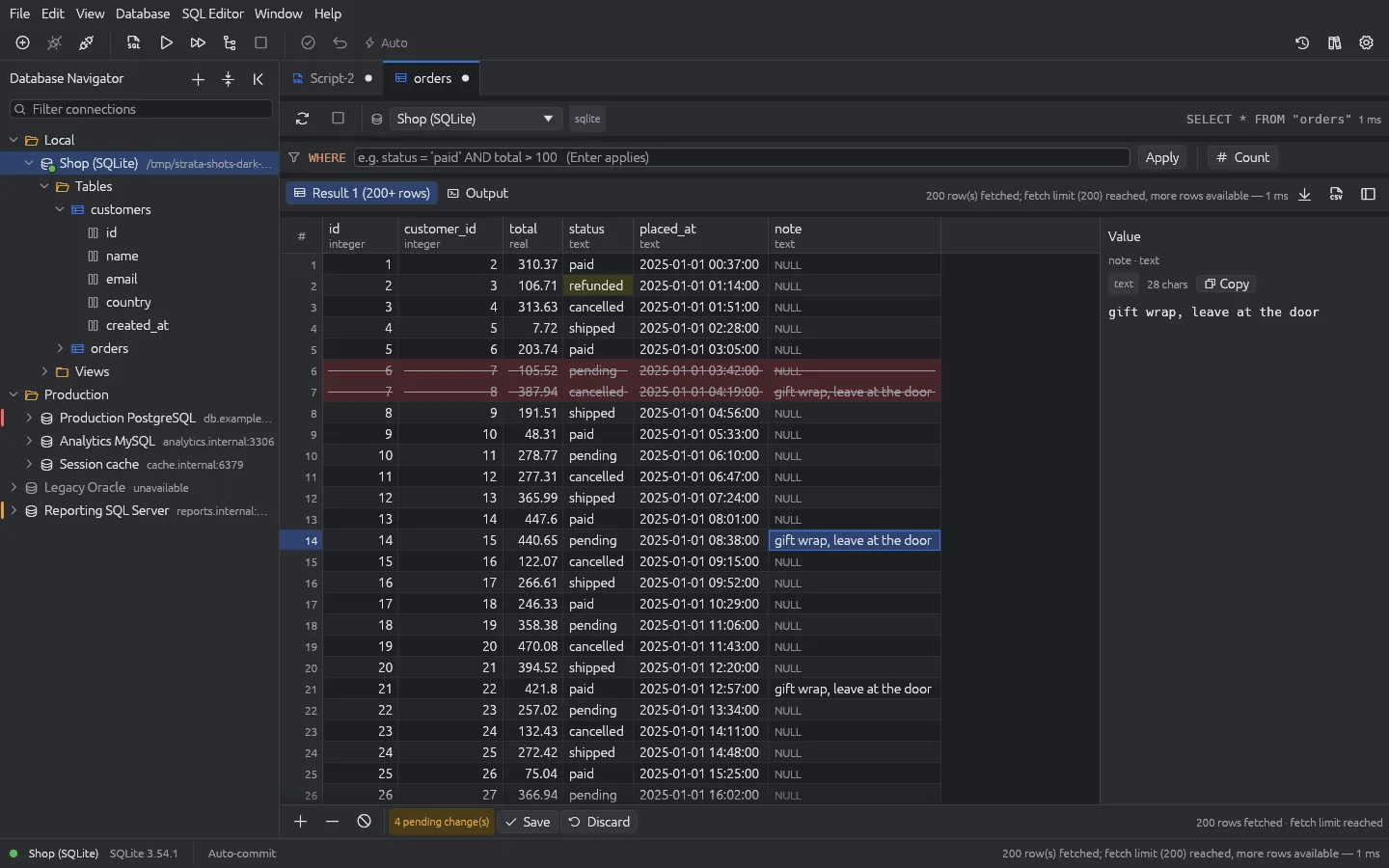
Edit rows, then decide

Change cells, add and delete rows straight in the grid. Every change stays coloured until you choose Save, then goes in as one all-or-nothing transaction. Discard drops the lot.

Production asks first

Tag a connection Development, Test or Production and it wears an amber or red bar. On Production, an UPDATE or DELETE with no WHERE stops and asks before it touches a row.

Reach anything, securely

SSH tunnels with host-key checking, SOCKS5 and HTTP proxies, TLS right up to verify-full, client certificates and public-key pinning. Saved passwords are encrypted with XChaCha20-Poly1305, keyed by your OS keyring or your own password.

CSV in, CSV out

Export a whole result, not just the rows on screen, with a guard against spreadsheet formula injection. Import a CSV into a table with a column mapping and preview, in one transaction. Copy as CSV, JSON or INSERT statements.

Moves in with you

Import your DBeaver connections, credentials included, in one command. Big tables don't fill memory: results stop at a sensible limit until you ask for more, and export streams everything.

From nothing to a result

1

Pick the product

Search the catalogue and click its card. Only the fields that product needs appear.

2

Test and save

Add a tunnel, proxy or certificates if you need them, test, and save.

3

Query

Open an SQL editor on the connection and press Ctrl+Enter.

4

Work the result

Filter, edit, export, or hand it to Data Laboratory to find what's odd.

Data Laboratory

Ask your data what's unusual

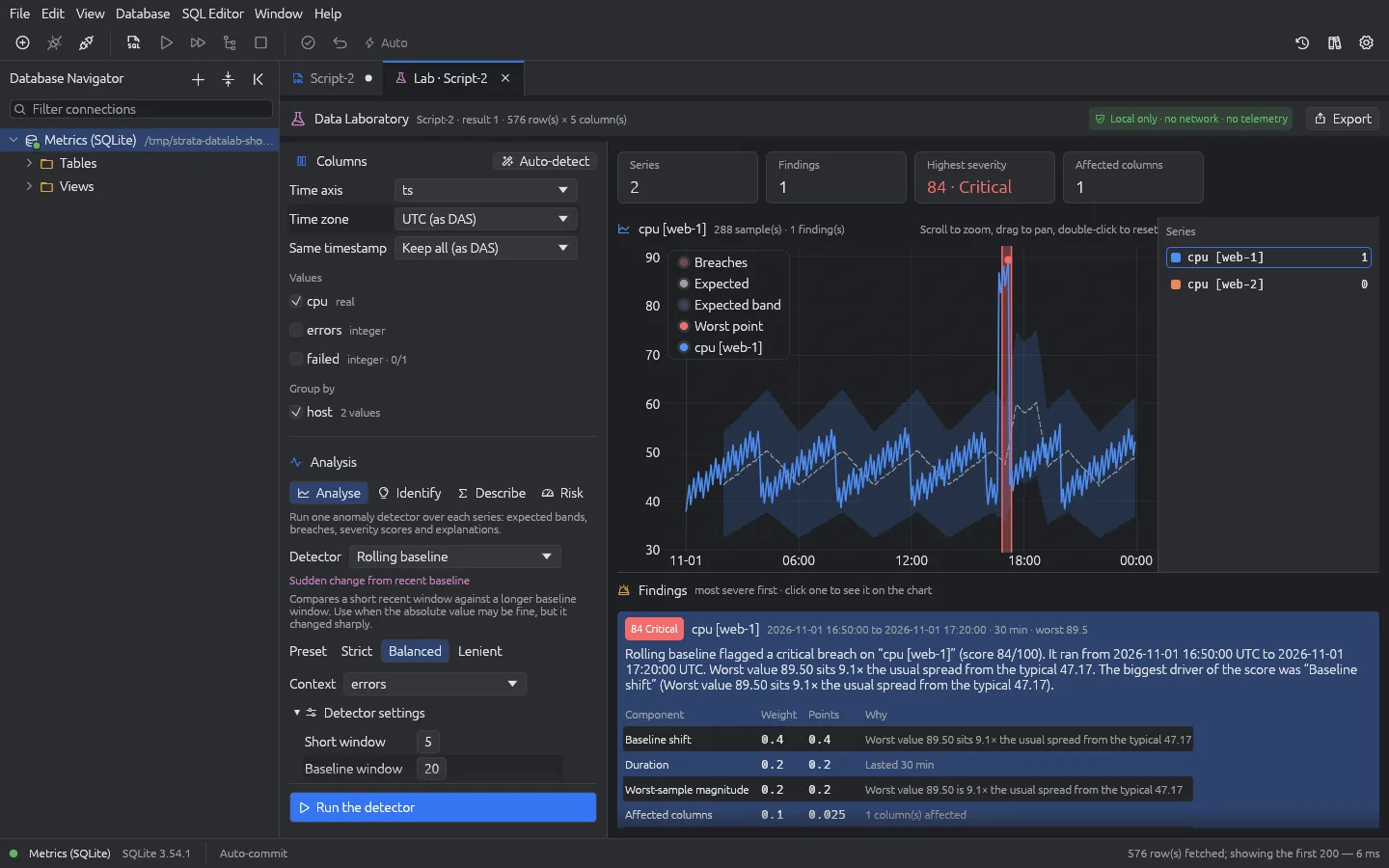
Run a query, press Analyse, and Data Laboratory goes looking for trouble. It works out what each series normally does, shades the expected band, marks every breach and scores it from 0 to 100, Critical down to Low. Each finding comes with a plain-English explanation and a breakdown of exactly how its score was built, so you can see why it fired, not just that it did.

It runs entirely on your computer, on a copy of the result: no network, no telemetry, nothing written back to the database. The tab says so in its header.

Data Laboratory analysing CPU per host: summary tiles, a chart with the expected band and one critical breach, and the finding with its score breakdown
A rolling-baseline run over CPU per host: one critical breach, scored 84, with its explanation. (Simulated data.)

Four ways to read a result

Analyse

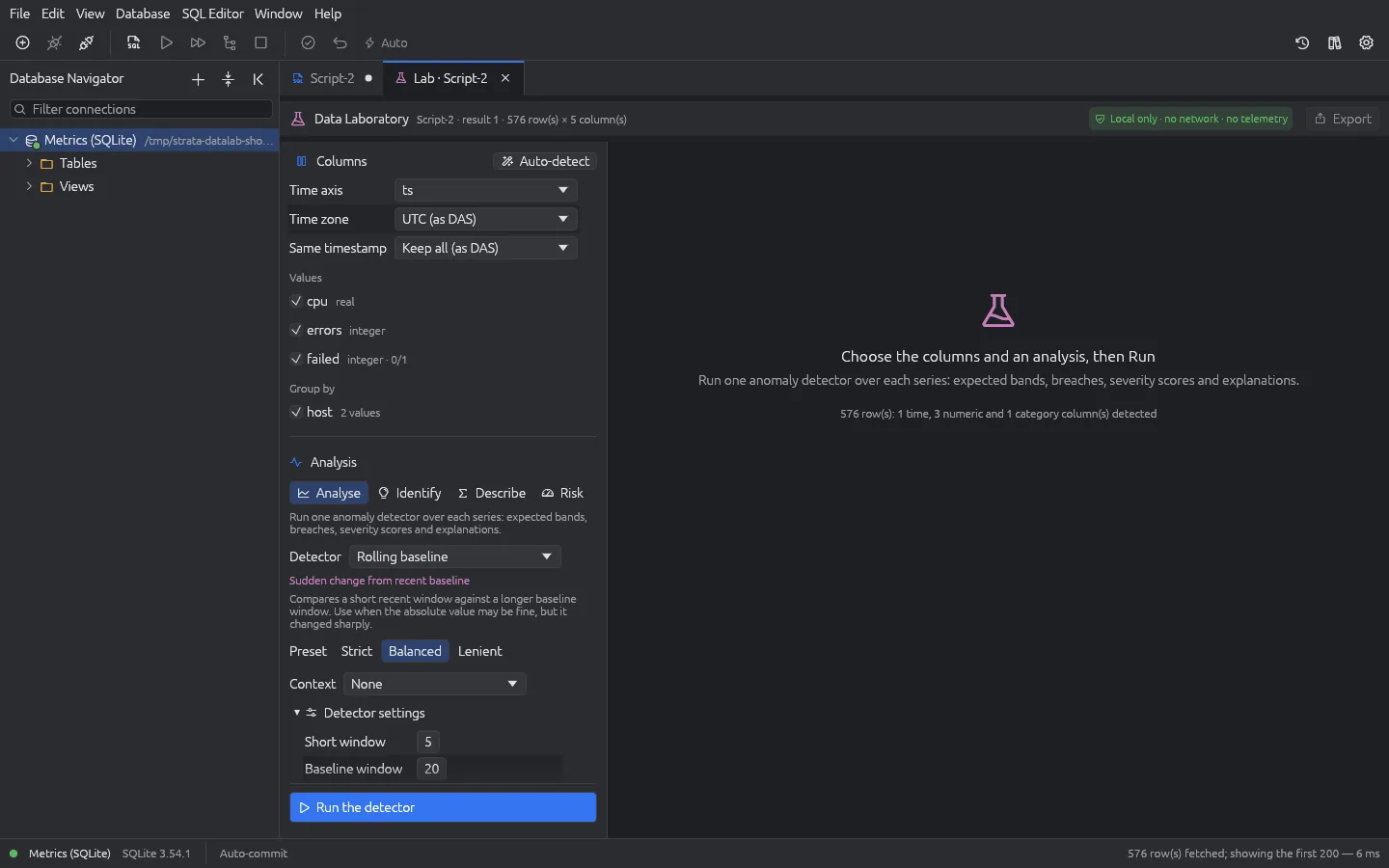
Run one of 13 detectors, from a static threshold to seasonal comparison and model baselines, over every series. Strict, Balanced or Lenient presets, every setting exposed, and an optional context column that feeds the score.

Data Laboratory set-up panel: time axis, value and group-by columns, the Analyse choice with the Rolling baseline detector and Balanced preset

Identify

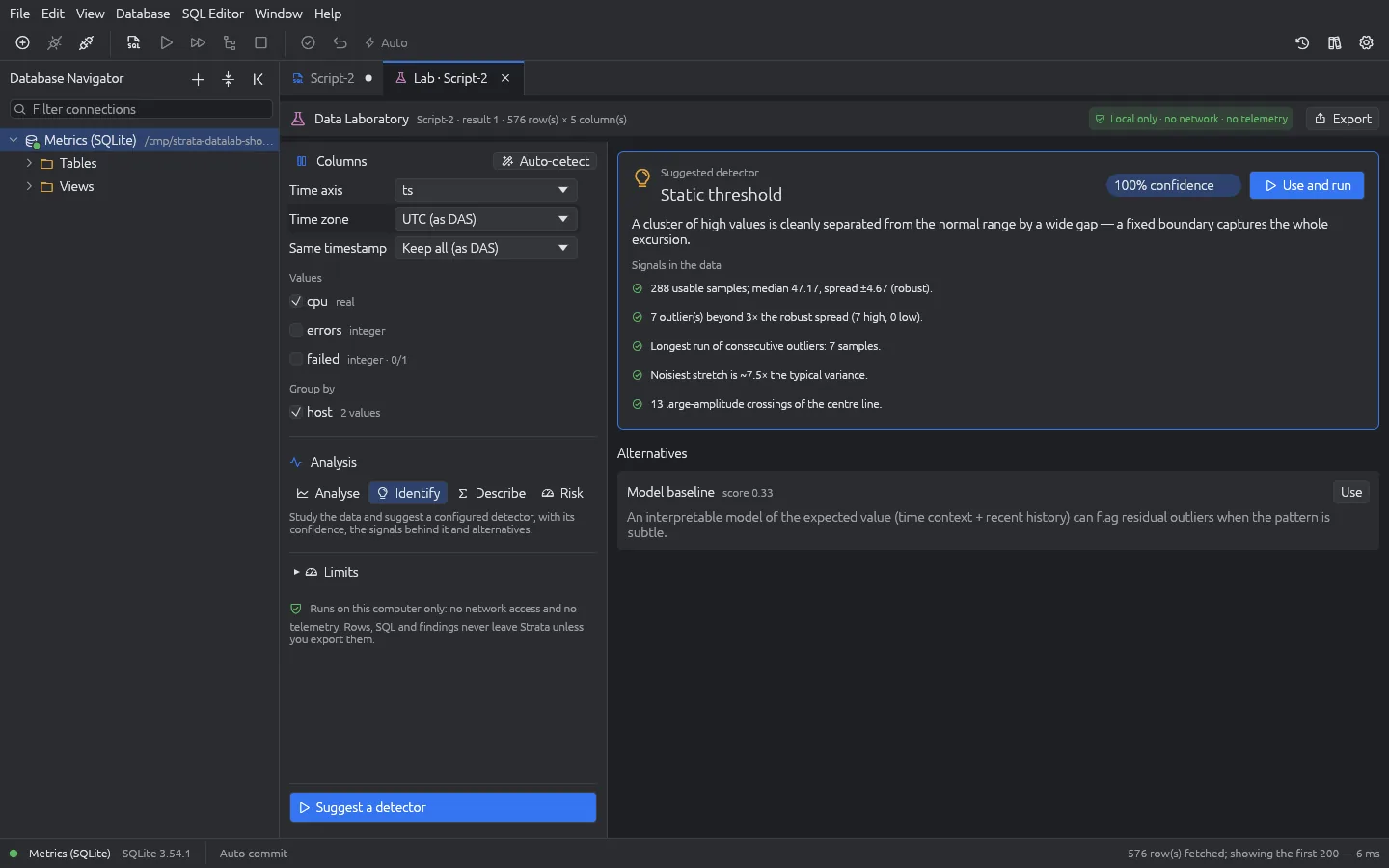
Not sure which detector fits? Identify studies the data and suggests one, ready configured, with its confidence, the signals behind it and the alternatives. Use and run, and you're done.

Data Laboratory Identify view: a suggested detector with its confidence, the signals found in the data and alternative detectors

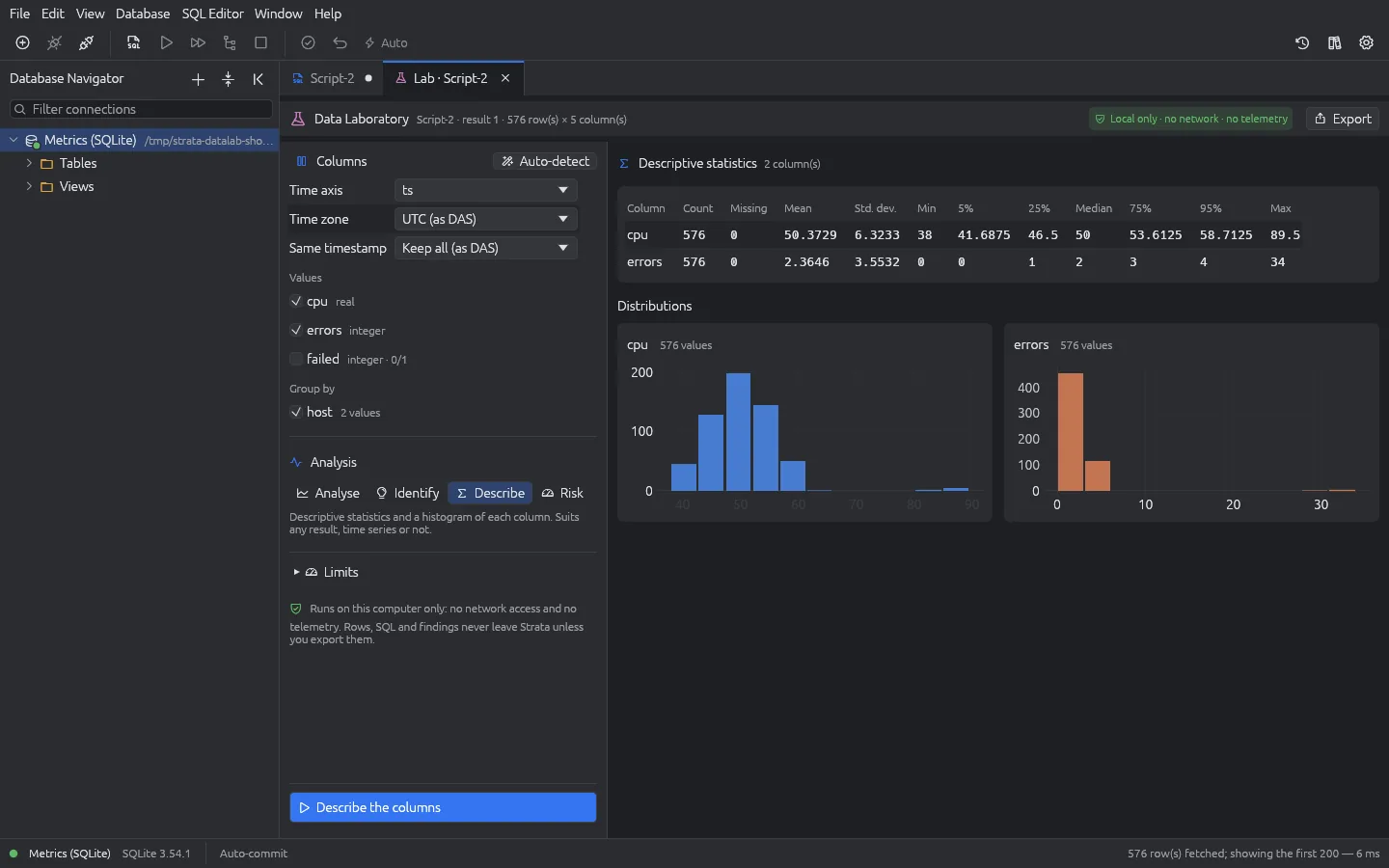
Describe

Count, missing values, mean, standard deviation, quantiles and a histogram for every column. Works on any result, time series or not, and exports as CSV.

Data Laboratory Describe view: statistics and a histogram for each numeric column

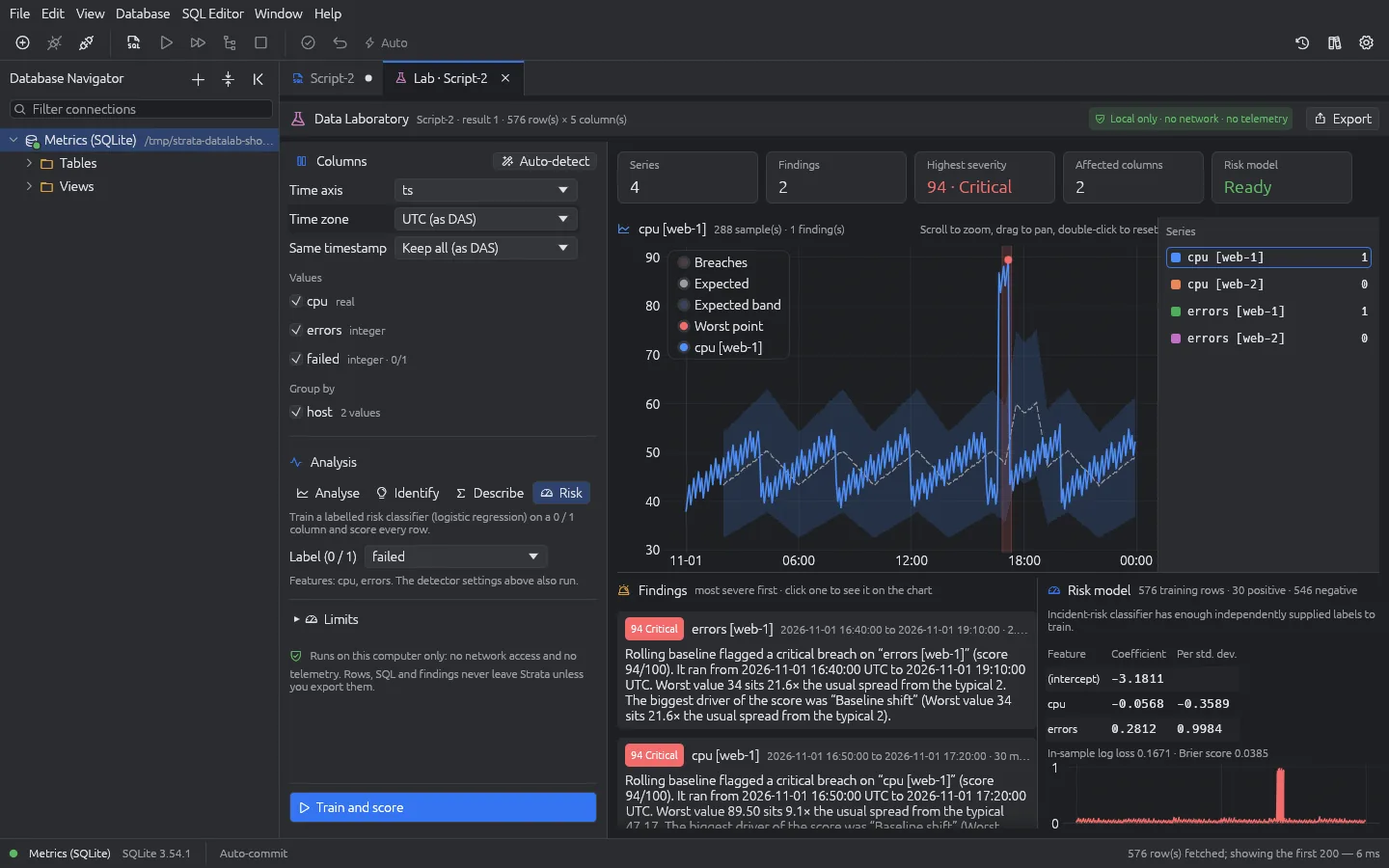
Risk

Give it a column of 0s and 1s, such as failed or not, and it trains a risk classifier on the other columns and scores every row, showing each feature's weight.

Data Laboratory Risk view: findings beside a trained risk model with feature coefficients and a chart of risk per row
How findings are scored
Critical80–100Look at this first
High60–79Clearly unusual
Moderate35–59Worth a look
Low1–34Slightly outside the expected range

Your files are a database too

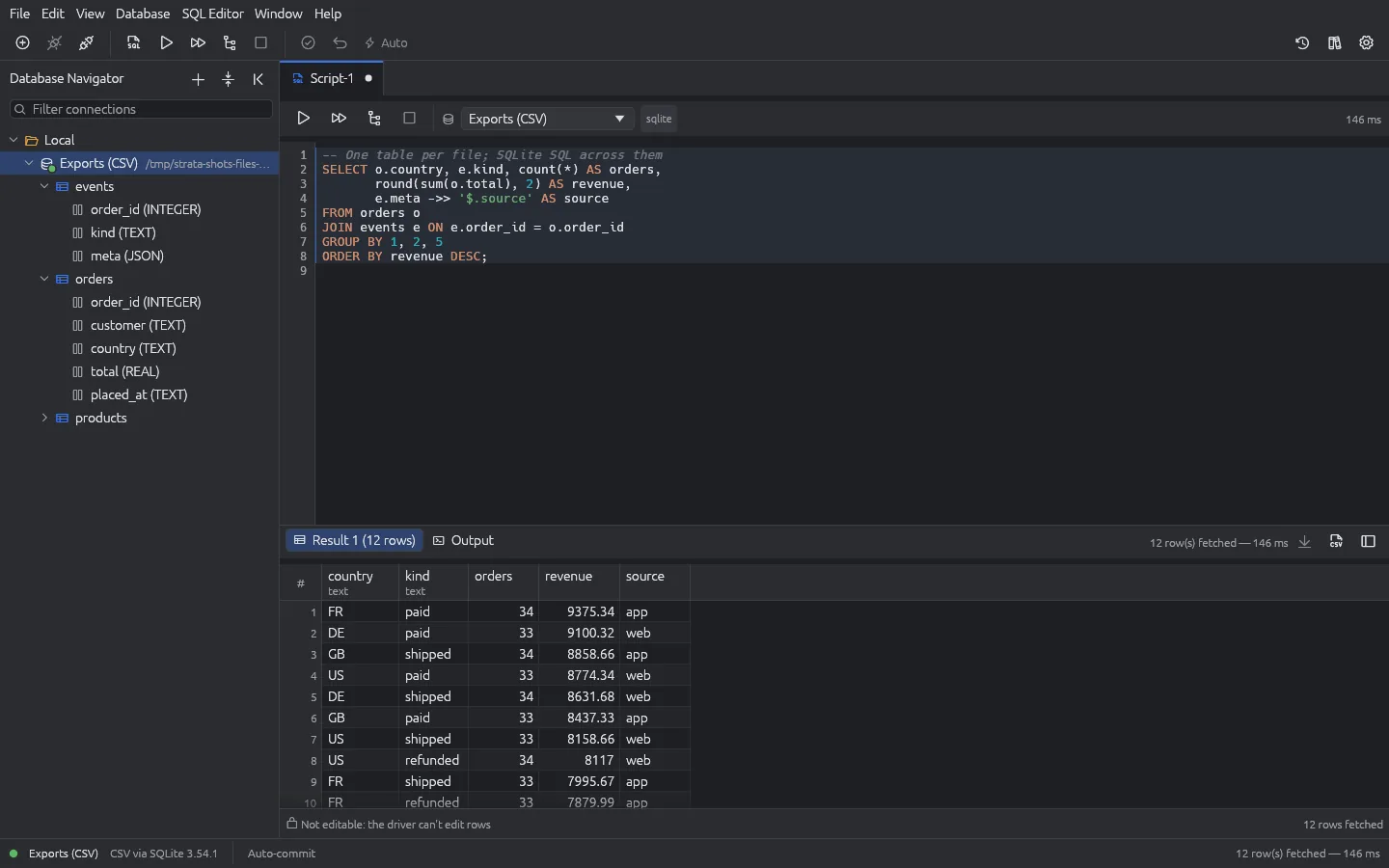
Make a connection out of a single file or a whole folder, and every CSV, TSV, JSON, XML, YAML, Excel worksheet, Parquet, Arrow, Avro, dBase or Access table becomes a table you can query and join with SQL. Types are worked out for you. Even a LevelDB store, the key-value database hiding inside many desktop apps and browsers, opens as a browsable table.

Files are only ever read: no side files, no lock files, not even a changed timestamp.

A folder of CSV and JSON files open in Strata as tables with inferred column types, joined in one SQL query
A folder of CSV and JSON files, one table per file, joined in one query. (Simulated data.)

What it connects to

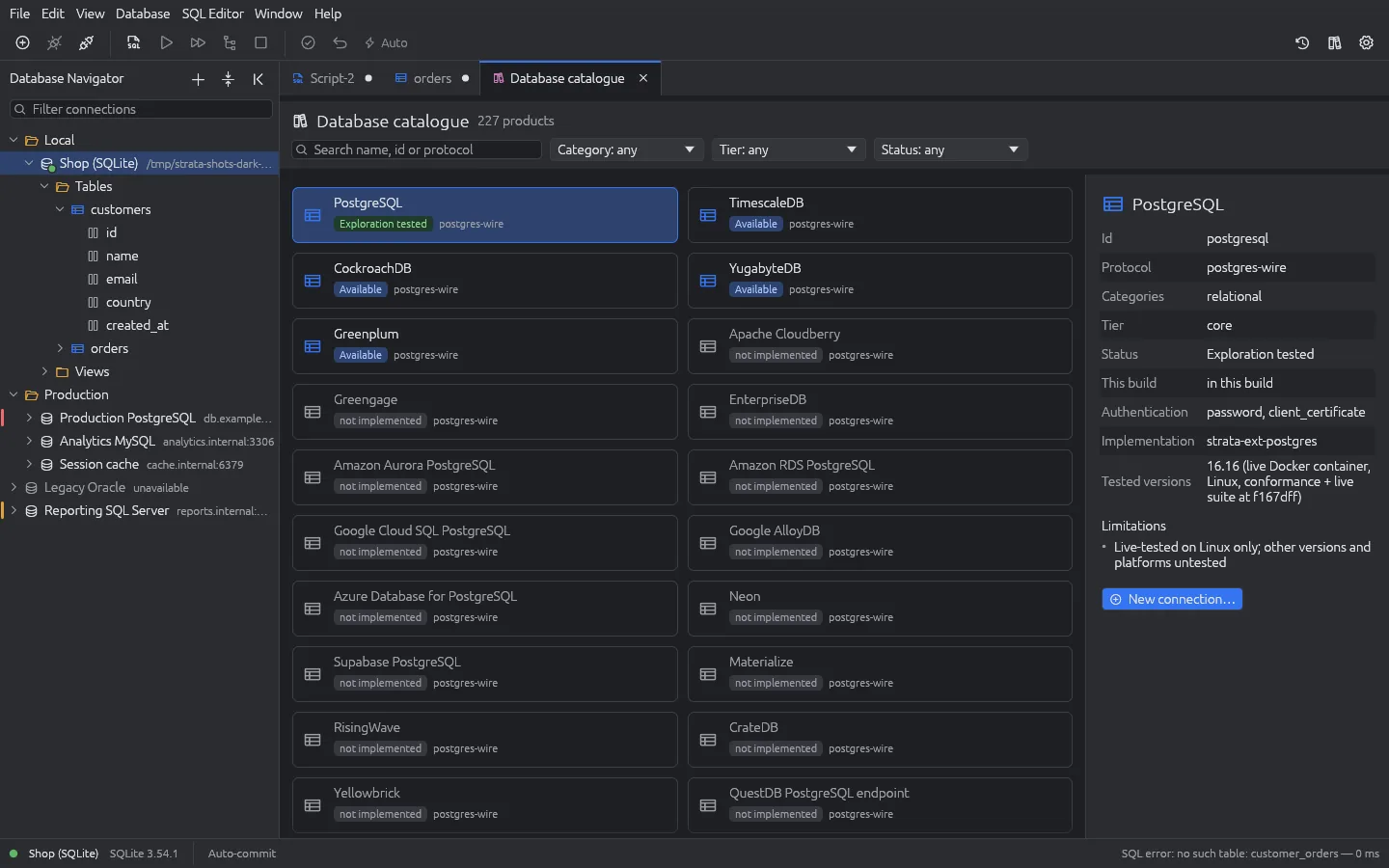
119 data sources across eleven families. The Core edition covers SQLite, the PostgreSQL and MySQL families, SQL Server and Redis-compatible servers; the Complete edition adds everything else.

Strata database catalogue with search and filters on the left and a product's versions and notes on the right
The database catalogue, built into Strata.
Supported data sources
Relational25PostgreSQL, MySQL, MariaDB, Microsoft SQL Server, SQLite, Oracle Database, IBM Db2 LUW, SAP HANA, Informix, Firebird, DuckDB, Vertica, MonetDB, Microsoft Access, TimescaleDB, CockroachDB, YugabyteDB, Materialize, RisingWave, CrateDB, QuestDB (PostgreSQL endpoint), Percona Server, TiDB, Vitess, MatrixOne
Analytical12ClickHouse, Apache Doris, StarRocks, Apache Druid, Apache Pinot, Apache Spark SQL, Apache Hive, Apache Drill, Trino, PrestoDB, Dremio, Apache Calcite Avatica
Document8MongoDB, FerretDB, CouchDB, Couchbase, RavenDB, ArangoDB, SurrealDB, OrientDB
Key-value9Redis, Valkey, KeyDB, Dragonfly, Garnet, Memcached, etcd, Aerospike, Riak KV
Wide-column2Apache Cassandra, ScyllaDB
Time series15Prometheus, VictoriaMetrics, Grafana Mimir, Thanos, Cortex, M3 Query, InfluxDB 1.x, 2.x and 3.x, QuestDB, TDengine, Apache IoTDB, GreptimeDB, Apache OpenTSDB, Graphite
Search9Elasticsearch, OpenSearch, Apache Solr, Meilisearch, Typesense, Manticore Search, Quickwit, Vespa, ZincSearch
Graph12Neo4j, Memgraph, JanusGraph, Apache TinkerPop Gremlin Server, Dgraph, TigerGraph, NebulaGraph, TypeDB, TerminusDB, Virtuoso RDF, Ontotext GraphDB, Apache Jena Fuseki
Vector6Qdrant, Milvus, Weaviate, Chroma, PostgreSQL pgvector, Redis vector search
Messaging9Apache Kafka, Redpanda, ksqlDB, Apache Pulsar, RabbitMQ, NATS, NATS JetStream, ActiveMQ Artemis, ActiveMQ Classic
Files12CSV, TSV, JSON, JSON Lines, XML, YAML, Excel (XLSX), dBase and FoxPro (DBF), Apache Parquet, Apache Arrow IPC, Apache Avro, LevelDB

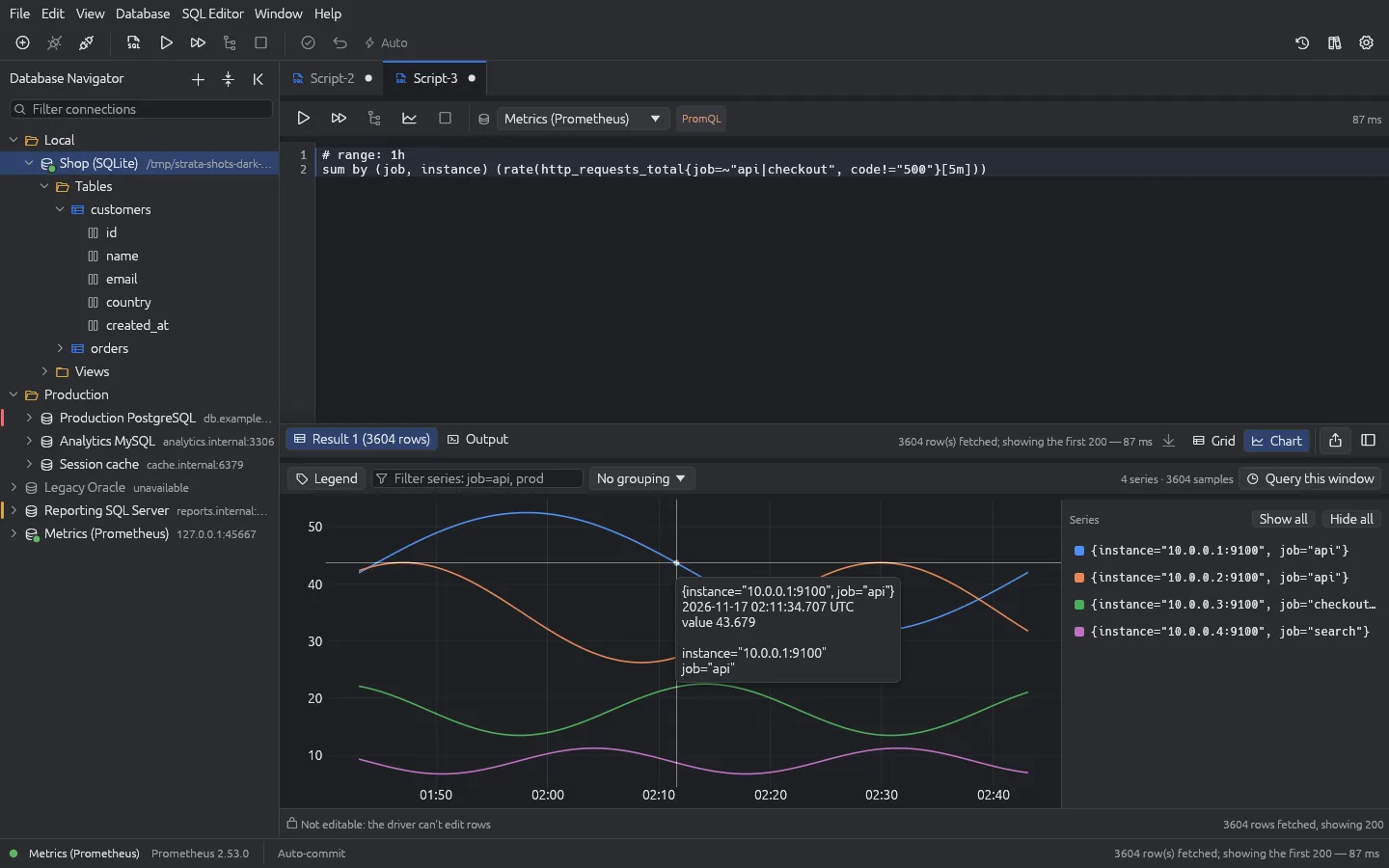
Time series, charted

Prometheus-compatible servers get their own PromQL editor, and the result opens as a chart as well as a grid. Export it as CSV with a column per series, or as Prometheus JSON with every sample intact. Then hand the same result to Data Laboratory.

A PromQL query result drawn as a line chart with one line per series
A PromQL result as a chart. (Simulated data.)

Careful by design

Strata only connects where you tell it and only changes what you save. Grid edits wait for you; production asks before a sweeping change; files are opened read-only. Passwords never reach the log, and neither do your SQL or your rows.

Data Laboratory and other extensions load only if they are signed by the Strata project and unchanged since. There is no marketplace, no account and no telemetry. The only thing Strata itself ever contacts is the licence server, and it sends nothing about your data.

Pending edits in the Strata results grid: changed cells highlighted, waiting for Save or Discard
Pending edits stay coloured until you Save or Discard. (Simulated data.)
pebble.

Next: Runs a small FreeBSD box as a home or office router, configured from one YAML file.